FIND YOUR NEXT TOPIC
Browse categories
Explore products and services across the topics that interest you, from everyday purchases to business essentials.
Browse categoriesFEATURED REVIEW
Explore independent cloud-to-cloud backup, with a closer look at automated protection, recovery options and getting your organisation set up.
COMPAREFEED / BUSINESS TECHNOLOGY
A closer look at independent Microsoft 365 backup, the published protection and recovery features, and what to check before choosing a service.
Provider Loop Backup
OUR VERDICT
An accessible proposition for businesses seeking independent protection with help getting started.
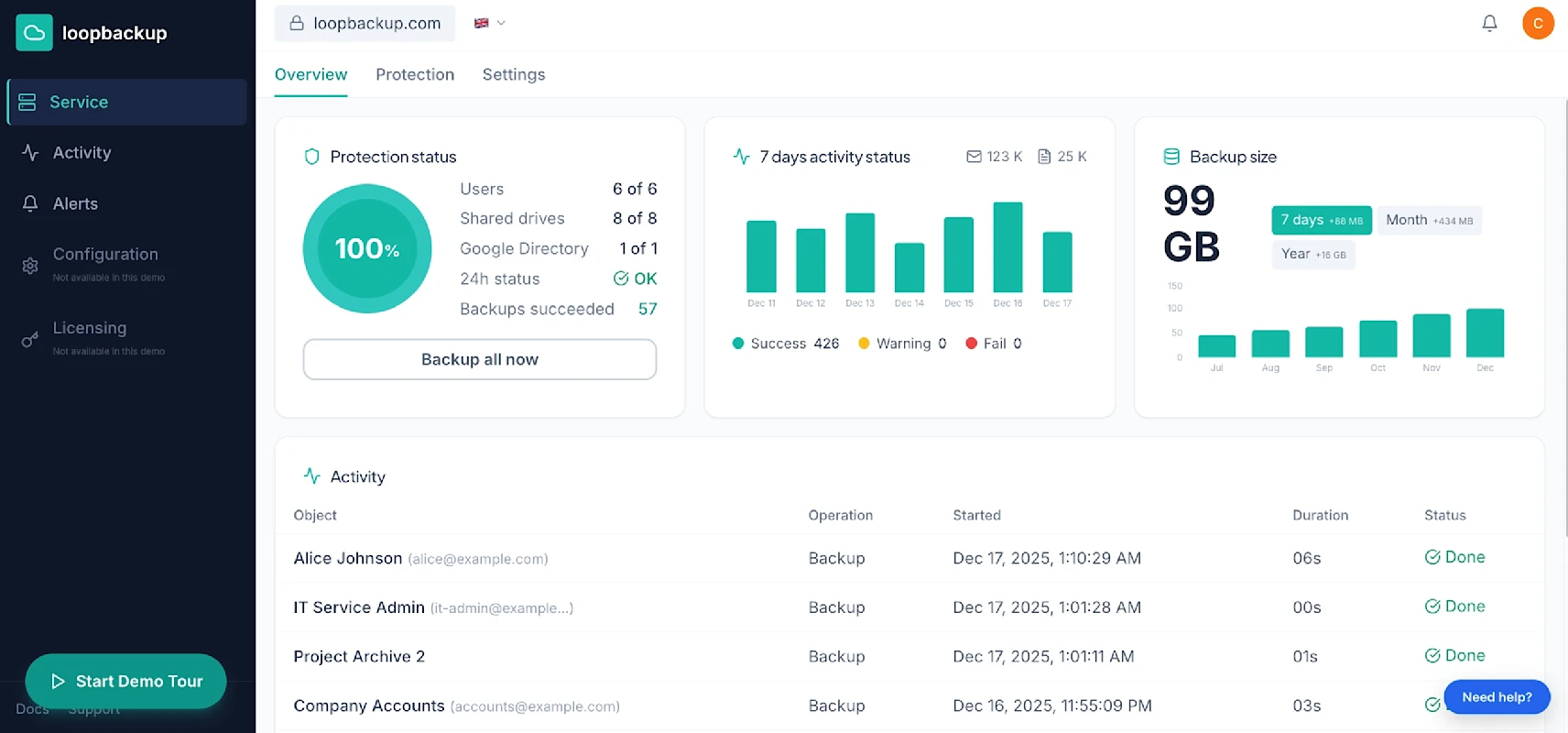
Loop Backup combines automated cloud-to-cloud backup with published recovery options and free assisted setup. Those features make it worth evaluating for a Microsoft 365 environment. This review assesses the advertised service, without claiming hands-on testing. Use the trial to verify coverage and recovery against your own requirements, and confirm the commercial terms before subscribing.
THE OVERVIEW
Loop Backup offers independent cloud-to-cloud protection for Microsoft 365, often still referred to as Office 365. Its UK service page lists Exchange Online, OneDrive, SharePoint and Teams among the supported workloads. The buying decision begins with understanding which information your organisation needs to recover and how that requirement maps to the service.
Build a short inventory before evaluating any backup product. Include mailboxes, shared working areas and important document collections. Identify the people responsible for each and the types of incident that would cause disruption. This makes a demonstration more useful because you can ask about concrete recovery scenarios rather than general features.
BACKUP & RECOVERY
The landing page advertises four automatic backups a day, unlimited retention, and point-in-time or single-item restoration. These are useful starting points for an evaluation. Confirm how they operate for each workload you use, including which content and attributes are captured and what a completed restoration looks like.
Test a representative recovery during the evaluation. Choose a non-critical item, record the steps and check the result in its intended destination. Discuss the handling of larger recoveries and the support available if a job needs investigation. A repeatable procedure is more valuable than relying on an assumed recovery time.
SETUP & DAILY OPERATION
Free assisted setup is advertised through a Google Meet or Zoom call. That may help organisations that want guidance while connecting their environment and reviewing the initial configuration. Prepare questions about permissions, protected accounts and the chosen storage region so the session addresses your actual operating requirements.
Before connecting the service, agree who can approve access and who will administer the account. Ask the provider to explain the permissions requested and how access can be reviewed. Record the decisions made during setup, including any exclusions, so another authorised colleague can understand the configuration later.
Once protection is running, assign ownership of routine checks. Decide who reviews job status, investigates exceptions and requests support. Include onboarding and departures in that routine: staffing changes should trigger a check that the intended information remains covered under the agreed account and retention arrangements.
Keep a simple recovery guide alongside the setup record. Identify the authorised contacts, escalation route and the information needed to raise a support request. Review it when responsibilities change. This helps turn a subscription into a manageable business process rather than an account that only one person understands.
STORAGE & PROTECTION
Loop Backup advertises UK and other regional storage choices, encrypted copies and immutable storage. These features are relevant to a technical review, but the selected region and actual configuration should be confirmed for your subscription. Request documentation that explains the controls and the scope of the protected environment.
Discuss administrative access, account recovery and how changes to protection settings are controlled. Ask what happens when a subscription ends and how retained information can be retrieved or removed. Clear answers help your IT team evaluate the service within its existing security and data management processes.
PRICING & CAPACITY
The published pricing starts from £2.64 per user per month, with each licensed user contributing 50GB to a shared storage pool. This is an organisation-wide allowance rather than a separate fixed allocation for each person. The pricing page also lists unlimited retention.
Estimate your total storage requirement and ask how retained versions affect consumption over time. Unlimited retention should not be confused with unlimited storage capacity. Request the complete cost for your expected usage, including additional storage, billing arrangements and any applicable taxes, before comparing proposals.
AI & RECOVERY GUARANTEE
For businesses researching office 365 cloud backup uk, Loop Backup’s AI positioning is another feature to investigate. The provider describes AI-supported scheduling and recovery capabilities. Ask for a demonstration of their role in the service rather than assuming the AI label establishes a particular recovery speed or outcome.
Its published Recovery Guarantee offers money back if previously backed-up data cannot be restored with an active account. Treat this as a conditional commercial promise, not proof that every recovery scenario will succeed. Request the full terms, including eligibility, exclusions and the refund process, and retain them with your subscription records.

ABOUT THE PROVIDER
Loop Backup’s wider portfolio includes Microsoft 365, Google Workspace and other cloud environments. For this review, the focus is its UK Microsoft 365 proposition. Keep the evaluation tied to that specific service and confirm any additional requirements separately with the provider.

EDITOR’S SUMMARY
Loop Backup offers an accessible route to evaluating independent Microsoft 365 protection, with assisted setup and a trial. Confirm coverage, storage and subscription terms, then test the recovery process. That evidence provides a firmer basis for choosing the service than feature labels alone.
CompareFeed Editorial
KEEP EXPLORING
Discover more products, services and practical guidance to help you choose.
FIND YOUR NEXT TOPIC
Explore products and services across the topics that interest you, from everyday purchases to business essentials.
Browse categoriesDISCOVER OUR HIGHLIGHTS
Discover the products and services highlighted by CompareFeed, with clear reviews and practical points to consider before choosing.
Explore our picks